How to Back Up and Organise Your Digital Diary: A Checklist for Peace of Mind
October 06, 2026 - Digital Diaries


September 30, 2026 - Digital Diaries
September 25, 2026 - Memory Keeping
You have kept a digital diary for years, and it is probably the most personal thing you own. It might live in an app you rarely think about, a folder of Markdown files, or six documents scattered across three devices. Most diaries survive on luck: the phone is not stolen, the laptop does not die, the password is remembered. A little tidiness now takes the luck out of the equation.
A file name is small infrastructure. Get it right and future-you finds anything in seconds.
Put the date first, in a format that sorts correctly: 2025-04-02-garden-and-the-job-interview.md. Year, month, day. It reads the same to a person and to a computer's sort order. Then add a few words describing the entry, not the mood.
For folders, two or three levels is plenty: a year folder, then months if you write most days. Deep nesting is where files go to be forgotten.
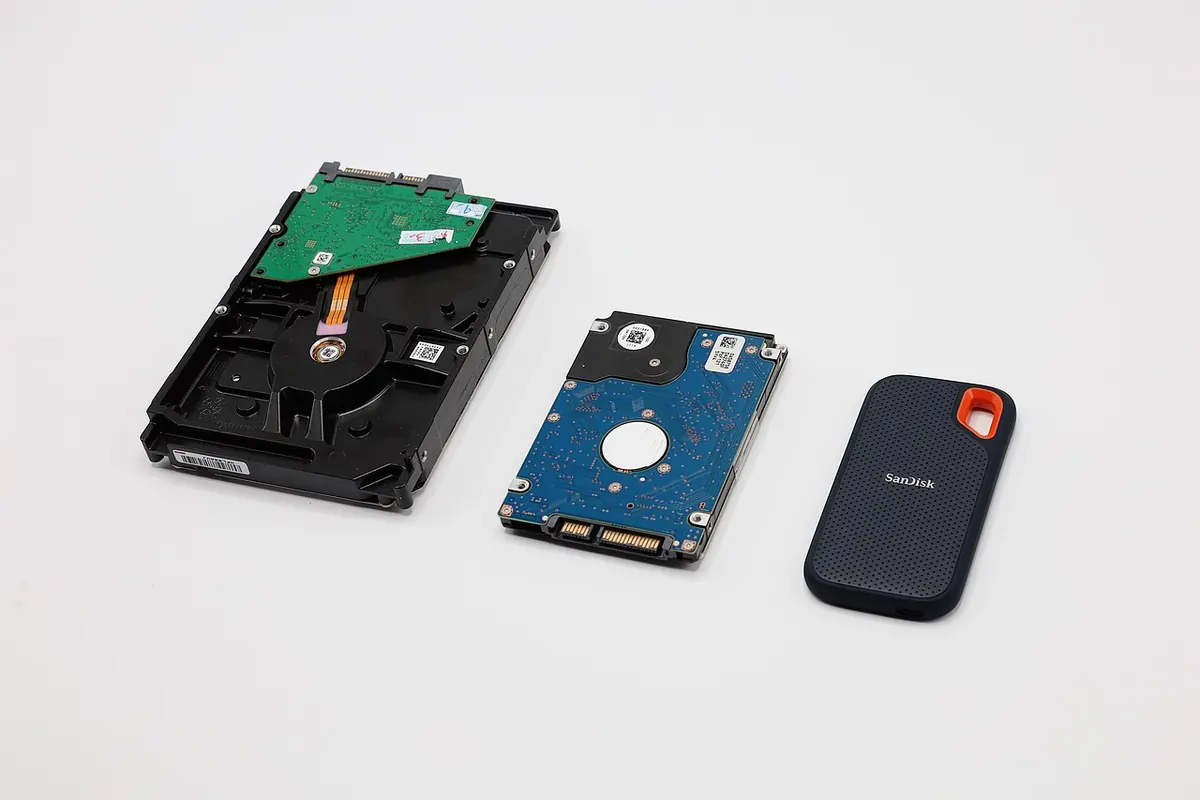
The old rule of thumb is 3-2-1: three copies of anything you cannot bear to lose, on two different types of storage, with at least one of them off-site. Applied to a diary, that might mean the working copy on your laptop, a copy on an external drive, and an encrypted copy in cloud storage. Or phone, home drive and cloud.
An external drive that sits beside the laptop is not off-site protection. A fire, a flood or a burglary takes both. A drive at a relative's house, a safe deposit box, or a reputable cloud service covers you.
One caution: a backup you never refresh is a museum piece. If the last time you copied anything was eighteen months ago, the drive holds an eighteen-month-old diary.
Notes apps sync. So do iCloud Drive, Google Drive, Dropbox and OneDrive. Syncing mirrors your files across devices, which is convenient and slightly treacherous. Delete a paragraph on your phone in a bad mood and it disappears from the laptop too, usually before you have noticed.
Most services keep version history for a while, and some keep deleted files for thirty days or more. That is a useful safety net, not a backup. The difference is control: a backup is a copy that sync has no power to alter.
A backup you have never opened is a hope, not a plan. Twice a year, open one file from your archived copy and check it reads properly. It takes a minute and it is the only way to know the archive is not full of empty files or a partial folder structure.
Diaries are the textbook case for encryption. Even if nothing dramatic has happened to you, a diary records your opinions about other people, which is exactly the material you would not want attached to your name in a leaked folder.
There are several sensible routes. Full-disk encryption, built into Windows and macOS, protects a stolen laptop. An encrypted container made with a tool such as VeraCrypt or Cryptomator protects a folder that syncs to the cloud. Encrypted archives work well for occasional exports. Many notes apps also offer a per-note lock, which is handy but weaker than encrypting the whole store.
Two things worth knowing before you commit. First, encryption is only as strong as your passphrase and only as safe as your ability to remember it. Lose the key and the diary is gone; there is no support line and no reset link. Second, encryption hides contents, not always file names and dates. If the names themselves give something away, encrypt the container rather than individual files.
Store the passphrase in a password manager, and keep one written copy somewhere physically secure. A sticky note on the laptop lid rather defeats the point.
This is the part most people skip, and it is the part that affects the people you love. A locked diary with no key is, in practice, a deleted diary. Whoever finds it will either break it open or throw the drive away.
Anything involving wills, executors or who is legally entitled to read personal writing deserves proper legal advice rather than a paragraph on a website.
None of this needs to be a project. Once a month, on the same day each time, do five things:
That is the whole checklist. Ten minutes a month buys you something quite specific: the certainty that the last five years of your thinking will still be there in another twenty, on whatever device you happen to be using then. Diaries are written for the future. It is worth storing them as though you mean it.
Photo: tonywuphotography / Pixabay
Paper and digital diaries each have real strengths. A practical look at searchability, privacy, backups and the...
A practical comparison of bullet journals and dated diaries for memory keeping, covering flexibility, structure,...
September 30, 2026 - Digital Diaries
Copyright © 2026 Diary Stack. All Right Reserved.